
Finding a music player that gives you control over sound quality, playback settings and your personal music library can be harder than expected. Some apps focus on streaming while others offer only basic playback controls. The Jet Audio Mod APK takes a different approach by focusing on local music playback, audio customization and tools that let listeners adjust their sound preferences.
It is designed for people who enjoy keeping music files on their devices and want more control than a standard phone music player provides. Whether you listen through headphones, Bluetooth speakers or your phone’s built-in audio, jetAudio offers several ways to manage and personalize your listening experience.
Audio customization beyond basic playback
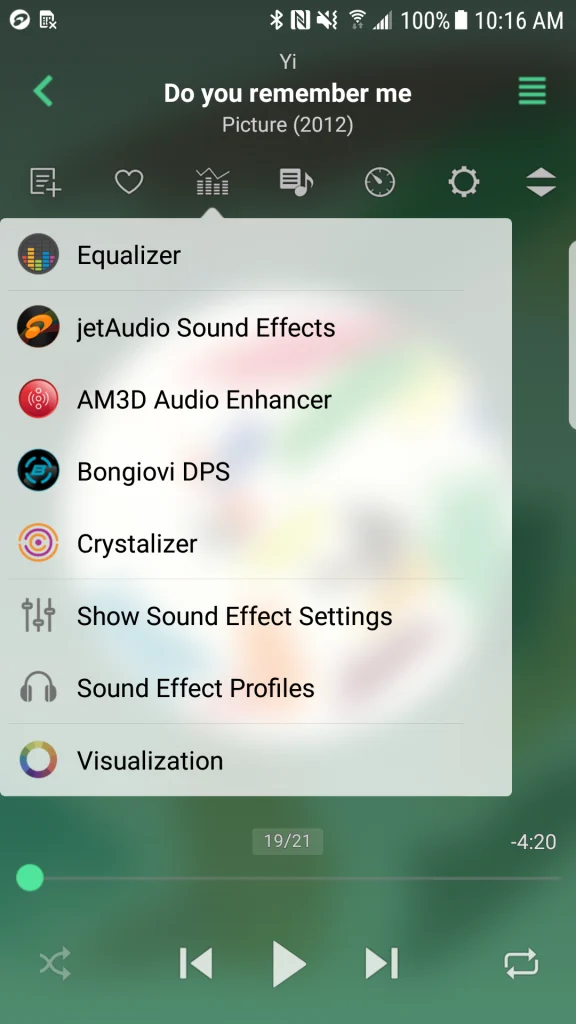
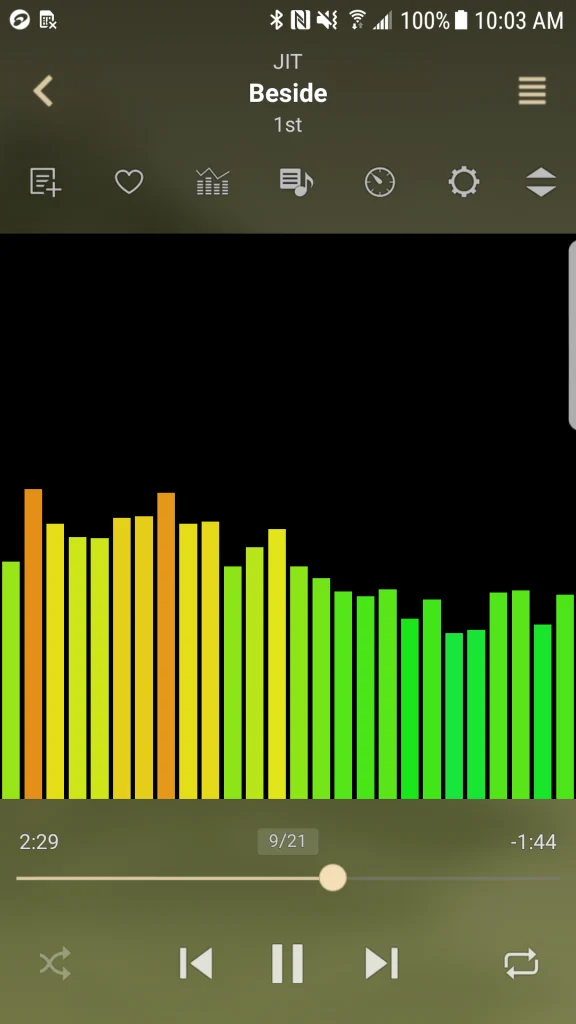
One of jetAudio’s strongest features is its equalizer. The app includes preset sound profiles for listeners who prefer different audio styles. You can also adjust frequency bands manually to change how bass, vocals and higher frequencies sound.
This flexibility is useful because headphones do not all produce the same sound. Some models have strong bass while others make vocals more noticeable. Instead of accepting the default sound, listeners can adjust the equalizer to suit their equipment and personal preferences. The app also includes several sound effects:
- X-Bass: Adds more emphasis to low-frequency sounds.
- X-Wide: Creates a wider stereo effect.
- Reverb: Adds an acoustic effect that changes the sense of space in the sound.
- AGC: Helps reduce noticeable volume differences between tracks.
These options provide room for experimentation. However, adding too many effects can make music sound less natural. A balanced equalizer setting is often a better starting point than applying every available enhancement.
Organizing music without depending on streaming services
Not everyone wants to search through a streaming catalogue every time they want to hear a particular album. Some listeners prefer owning their music files and arranging them according to their personal taste.
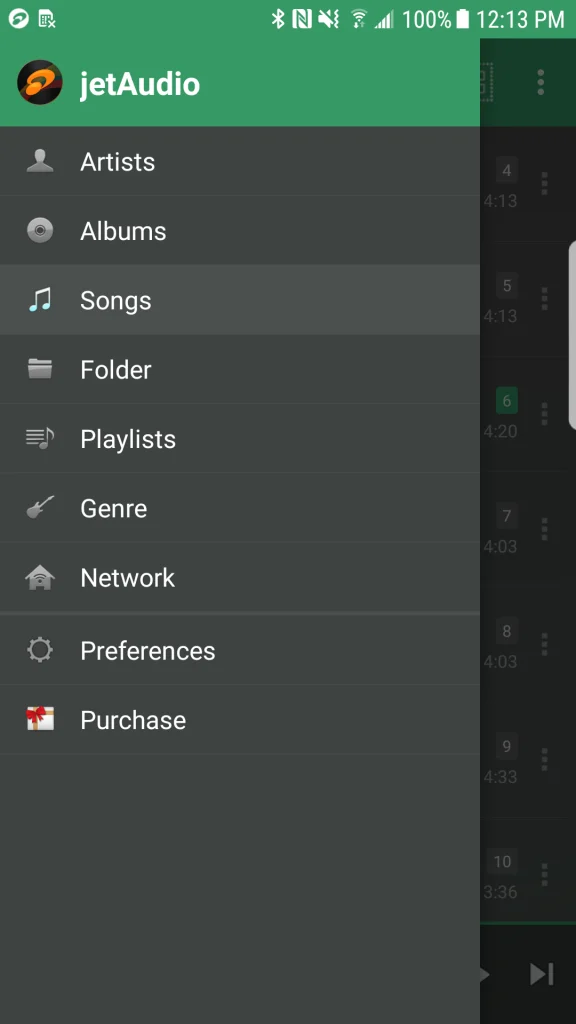
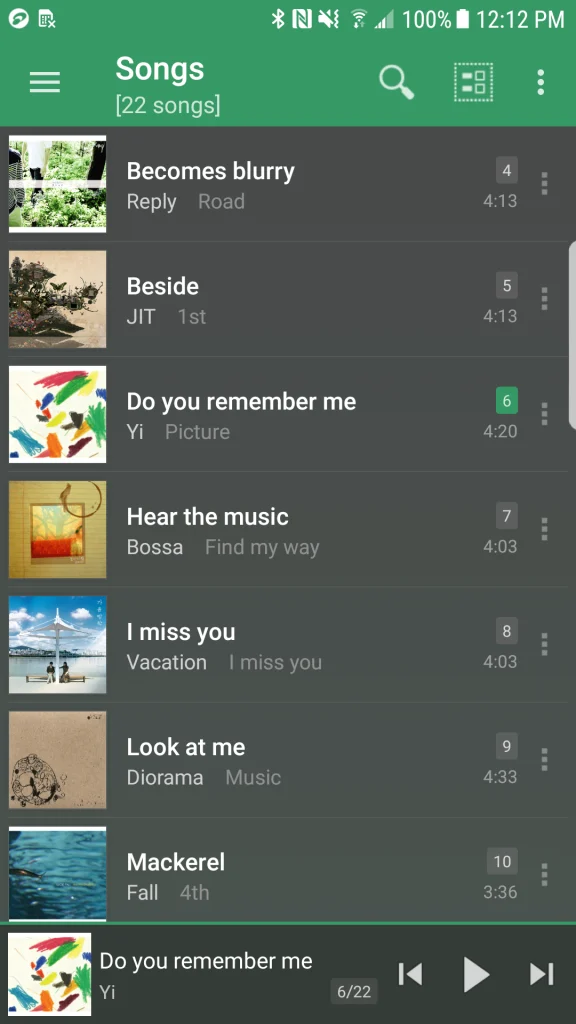
jetAudio supports browsing through artists, albums, songs, genres, playlists and folders. This makes it easier to find a particular recording, especially when a phone contains hundreds or thousands of tracks.
There are also options for accessing music from shared folders over a local Wi-Fi network. Support for network storage and services such as Google Drive, Dropbox, OneDrive and WebDAV provides additional flexibility, although availability can vary between app versions.
This approach is useful for people who keep music on a computer or network-attached storage device and want to access it from their phone without manually copying every album.
Playback tools for different listening habits
Sound quality is only one part of a good music player. Everyday playback controls can make a noticeable difference, particularly for people who listen to music while travelling, studying or exercising. Jet Audio Mod APK includes several practical features:
- Crossfade: Blends the end of one track with the beginning of another.
- Gapless playback: Reduces unwanted pauses between consecutive tracks.
- Playback speed control: Changes how quickly a track plays.
- A-B repeat: Repeats a selected section of a recording.
- Sleep timer: Stops playback after a chosen period.
- Lyrics display: Shows available lyrics during playback.
The A-B repeat option is especially useful for language learners and musicians. A listener can select a short section of audio and replay it without repeatedly searching for the same position.
Playback speed adjustment also helps people who want to slow down a recording to follow its details. However, changing speed can affect pitch depending on the selected playback mode.
Free and paid versions: What should you choose?
The jetAudio Hi-Res Music Player App offers a Basic version and a Plus option. The free version provides access to many core playback features but includes advertisements and restrictions on selected tools.
The Plus version adds features such as a 20-band equalizer, tag editing, additional display options and more detailed playback controls. Some advanced functions and sound-enhancement plugins may also require separate purchases.
For someone who simply wants to play MP3 or FLAC files, the free version may provide enough functionality. Listeners who regularly adjust sound settings or manage extensive music collections may find the paid version more suitable.
Before purchasing, check the current feature list and pricing in your device’s official app store. Available features and prices can differ between Android and iOS.
A few things to consider before installing
Although jetAudio offers plenty of customization, its feature-rich interface may take some time to understand. Beginners who only need a simple play button and playlist might prefer a lighter music player.
Advertisements in the free Android version may also interrupt the overall experience. Another consideration is hardware compatibility. Your phone and connected audio equipment determine which high-resolution playback capabilities are actually available.
It is also worth checking your music files before assuming that every format will work in every browsing or playback mode. Keeping properly tagged files with accurate artist names, album information and artwork can make library management much easier. You can also download Pandora Mod APK.
Is Jet Audio Mod APK worth considering?
The jetAudio Hi-Res Music Player App is worth considering for people who enjoy offline music, maintain their own audio collections and want greater control over playback. Its combination of format support, equalizer settings, sound effects and network music access makes it more flexible than a basic audio player.
It may not be the right choice for someone looking primarily for music streaming, a minimalist interface or an advertisement-free experience without paying. However, listeners who value customization and prefer managing their own music files will find plenty of useful features to explore.
A sensible approach is to start with the free version, add a few tracks from your existing collection and experiment with the equalizer. This gives you a practical way to decide whether its controls and sound options match your listening habits before spending money on additional features.


